

INDIANA – Are you looking to kickstart a new farm, expand your ranch, or enhance your private forest operation but aren’t sure where to begin with federal assistance? The U.S. Department of Agriculture (USDA) is pointing aspiring and established producers to farmers.gov as the premier online resource for connecting with vital programs and services.
Whether you’re seeking capital or disaster relief through USDA’s Farm Service Agency (FSA) or aiming to address natural resource concerns with support from USDA’s Natural Resources Conservation Service (NRCS), farmers.gov serves as a comprehensive “one-stop shop” for information and tools. The platform is designed for both new and long-standing USDA customers, streamlining access to essential resources.
Unlock Full Features with a Farmers.gov Account
To tap into the full spectrum of online tools, including submitting farm loan applications, managing payments, accessing farm records, and requesting conservation assistance, creating a farmers.gov account is the key.
Setting up an account requires a Login.gov account and identity verification. If you’re new to Login.gov, visit the farmers.gov account creation page and select the Login.gov option, following the steps outlined on USDA’s Login.gov FAQ page to create and verify your identity. Existing Login.gov users can simply log in through the farmers.gov account creation page. Once established, your farmers.gov account provides access to all FSA and NRCS customer systems.
Streamlined Customer Record Setup
When you create a farmers.gov account, the system attempts to link your Login.gov account to any existing FSA customer record. If successful, you gain immediate access to the portal’s features.
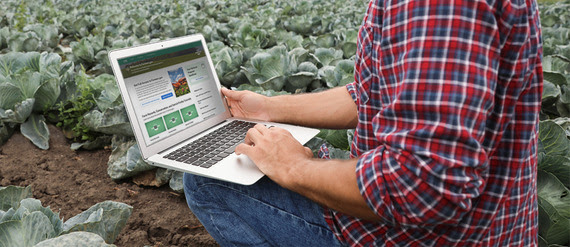
For new customers without an existing record, logging into their farmers.gov account will direct them to a page where they can complete a “Customer Data Worksheet” before an in-person meeting with FSA and NRCS staff. This online submission streamlines the process, allowing USDA service center employees to pre-populate information and create your customer record.
To set up a customer record, new users will find options to “Start Customer Data Worksheet” or “Check for Record.” Choosing “Start Customer Data Worksheet” launches an easily fillable form for essential information, such as name, address, and contact details. This data auto-populates an AD-2047 form, a requirement for all producers working with the USDA. The completed form is securely sent to your local office, typically resulting in an email notification and full access to your farmers.gov account within 7-10 business days after processing.
If you’ve worked with USDA previously but your Login.gov account doesn’t automatically link, the “Check for Record” button can help find and link your existing record. If no record is found, you can use the “Start Customer Data Worksheet” or contact your local service center or help desk for assistance.
Beyond Account Setup: A Wealth of Features and Tools
A farmers.gov account is more than just an entry point; it’s a hub for managing numerous interactions with the USDA. With an account, you can:
- View farm loan payment history from FSA.
- Track cost-share assistance received and anticipated from NRCS conservation programs.
- Request conservation assistance from NRCS and monitor conservation plans, practices, and contracts.
- Access, print, and export detailed farm records and farm/tract maps, crucial for acreage reporting.
- Print FSA-156 EZ (Abbreviated Farm Record) and your Producer Farm Data Report.
- Pay FSA debt using the “Make an FSA Payment” feature.
- Apply for farm loans online, view existing loan information, and make USDA direct farm loan payments.
Beyond the account portal, farmers.gov offers additional standalone tools, including:
- The Farm Loan Assistance Tool is used to explore loan types and check eligibility.
- The Disaster Assistance Tool is used to identify relevant disaster aid programs.
- The Conservation Concerns Tool helps prepare for meetings with local NRCS district conservationists by outlining farm concerns.
For more detailed information, producers can refer to the farmers.gov Fact Sheet and video tutorials that guide users through farm records, conservation features, and “switching profiles” for those authorized to act on behalf of another customer.